



Mobile applications
1. Description of the application
The poster advertising mTAX FREE mobile application.
The mTAX FREE PL application allows you to manage your own TAX FREE documents issued on the territory of Poland. You will be able to check the status of TAX FREE documents online.
The app is available for mobile devices with the following operating systems:
- iOS,
- Android.
The mobile app is available in languages:
- polish
- english
2. Initial configuration
Before using the application add your identity documents in “My Data” tab (photo 1).
If you do not use this option, your personal data will be filled in automatically when you add your first TAX FREE document.
To take full advantage of the app's functionality, confirm your identity documents during customs clearance of goods under the TAX FREE procedure at the border. Authorization is completed by the Customs and Tax Control officer during customs clearance, at the request of the traveler.
3. Add your TAX FREE document
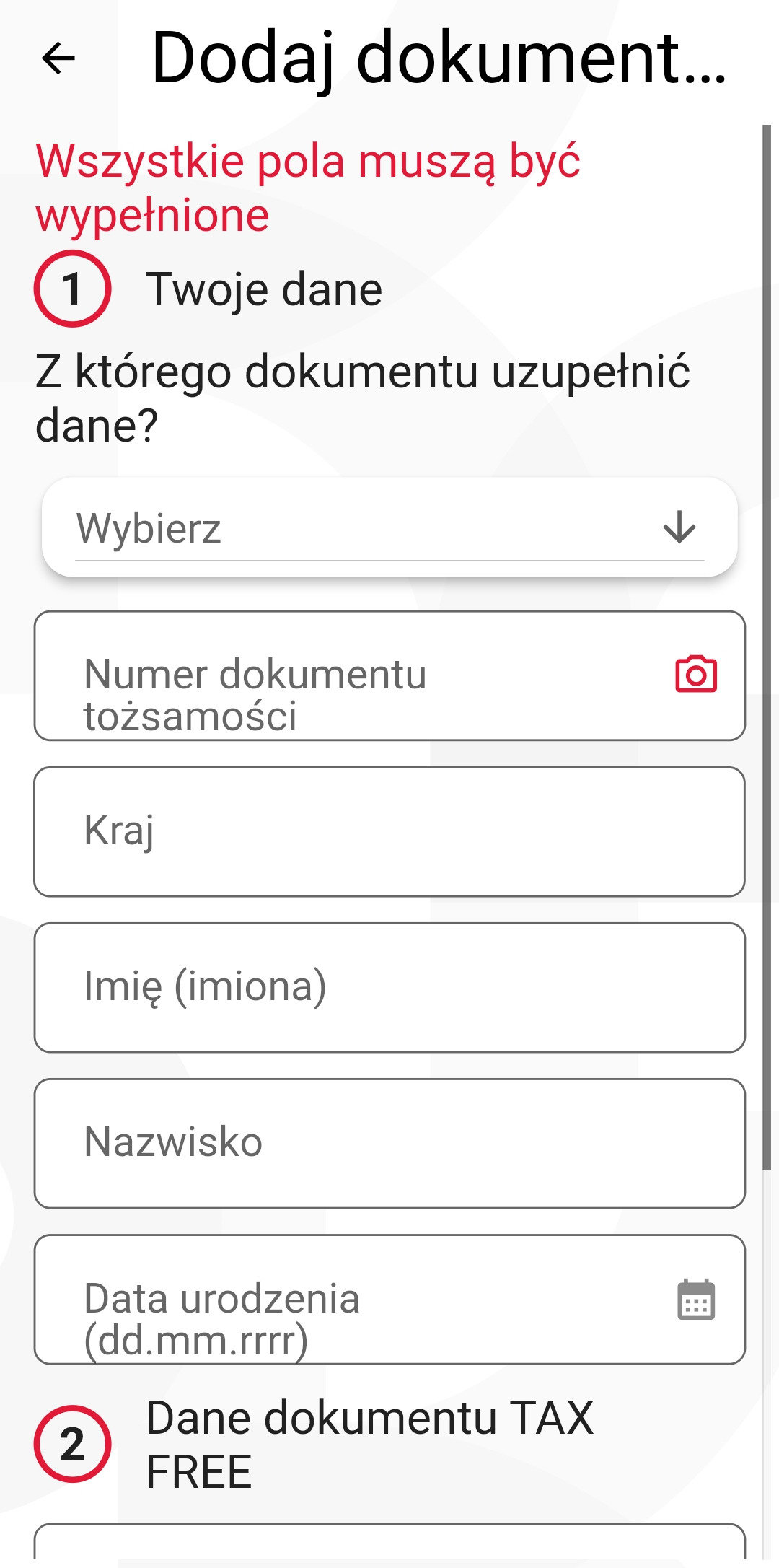
Photo. 2. Add TAX FREE documents screen.
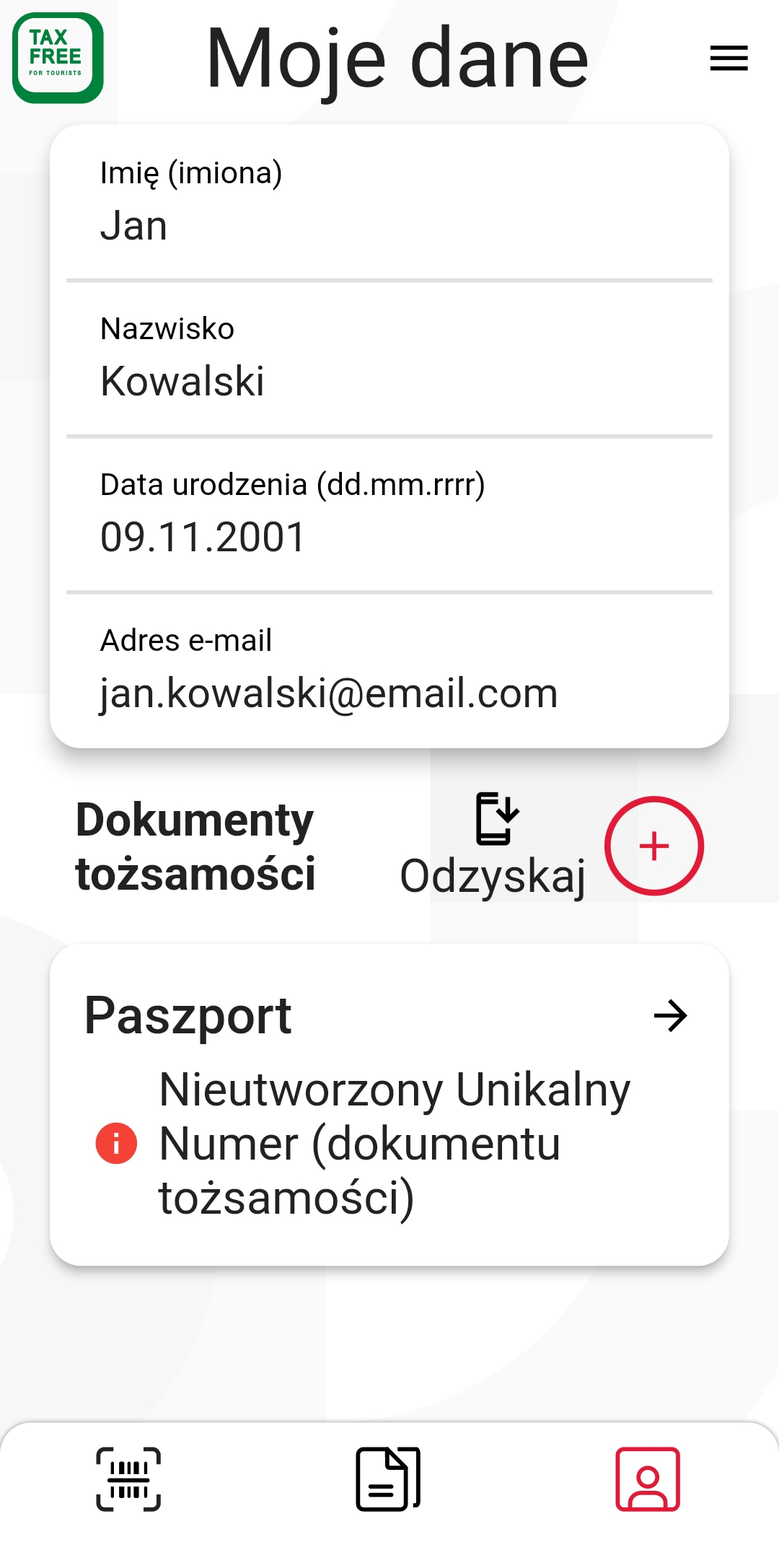
Photo. 1. Identity documents screen.
If you have not confirmed your identity documents at the border you can add your TAX FREE documents in “My TAX FREE” tab (photo 2).
When you previously completed your identity document information, you can retrieve your data from the settings.
Add basic data from the TAX FREE document: the UNS number, the company's TIN and the date of sale. When all the data match the TAX FREE document, you will get access to the document details and status.
4. View your TAX FREE documents
View your TAX FREE documents in“My TAX FREE all” tab (photo 3).
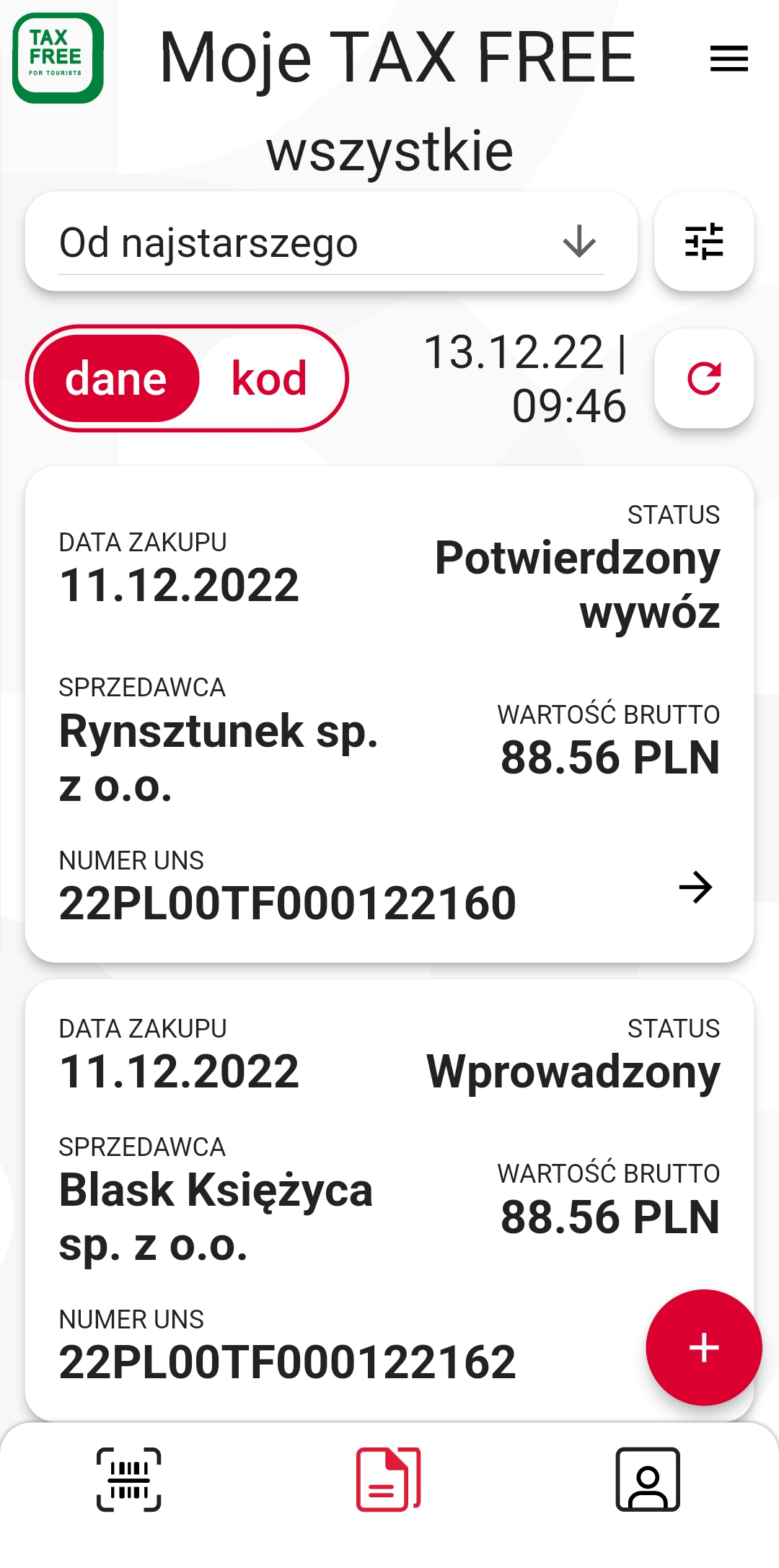
Photo 3. My TAX FREE documents screen.
5. Present your TAX FREE documents at the border
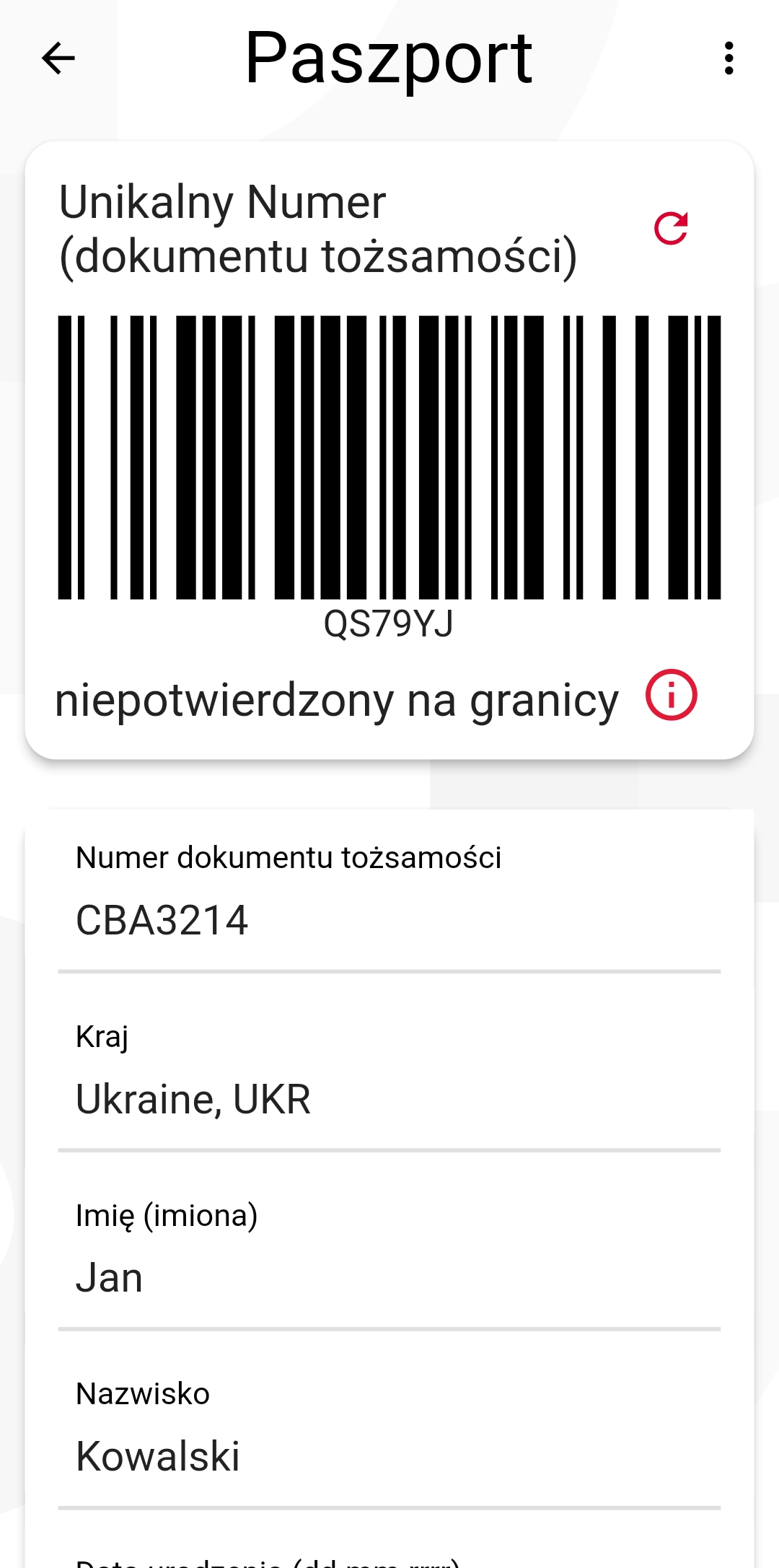
Photo. 5. My Identity documents screen.
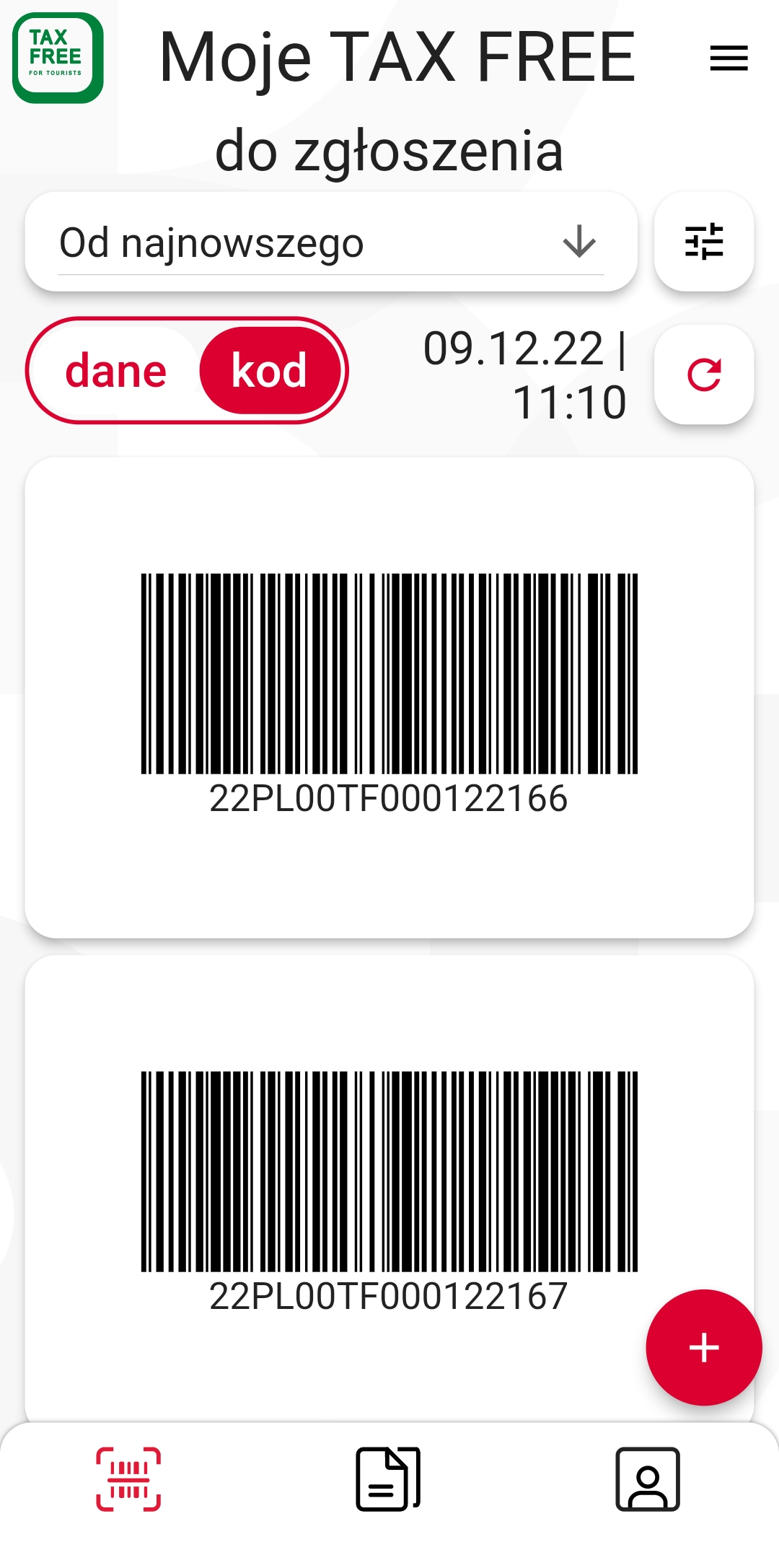
Photo. 4. my TAX FREE documents to submit screen.
In "My TAX FREE to declare” tab you will find TAX FREE documents that you can present to the officer at the border. Show the barcode of the document - switch the data to the code (photo 4) and your ID document code (photo 5)
6. Download mTAX FREE PL mobile app
mTAX FREE PL mobile application is available free of charge on the App Store, Google Play .

7. mTAX FREE PL accessability statement
accessability statement - Android
1. App description
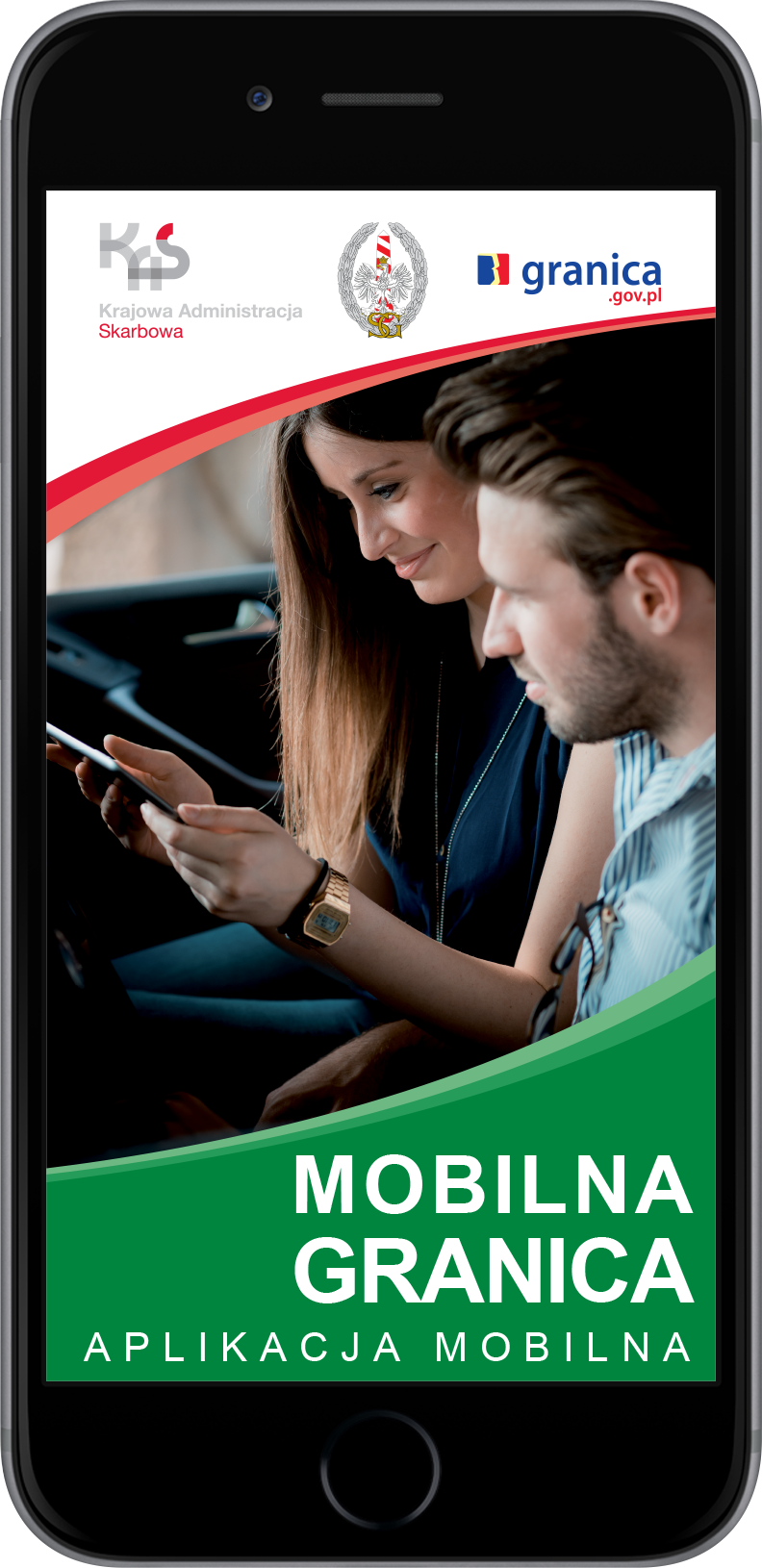
A leaflet promoting mobile app Granica.
Mobile app has been created as a supplement to the website www.granica.gov.pl and is its integral part. It is aimed at providing comprehensive information on waiting time at north-eastern and eastern border crossings of the Republic of Poland, in both cargo and passenger traffic.
An app is available for mobile devices with operational systems:
- iOS,
- Android.
An app is available in the following languages:
- Polish,
- English,
- Russian,
- Ukrainian,
- Belorussian,
- German.
2. Preliminary configuration
After the app downloads on a mobile device, it should be preliminary configured – by selecting on the next screens: default language, possibility to turn on geolocation data (an app cannot be fully used without this feature), type of vehicle, a country for which data from border crossings should be presented, and at the end – mini tutorial presenting main buttons of the app menu.
3. Waiting time at border crossings
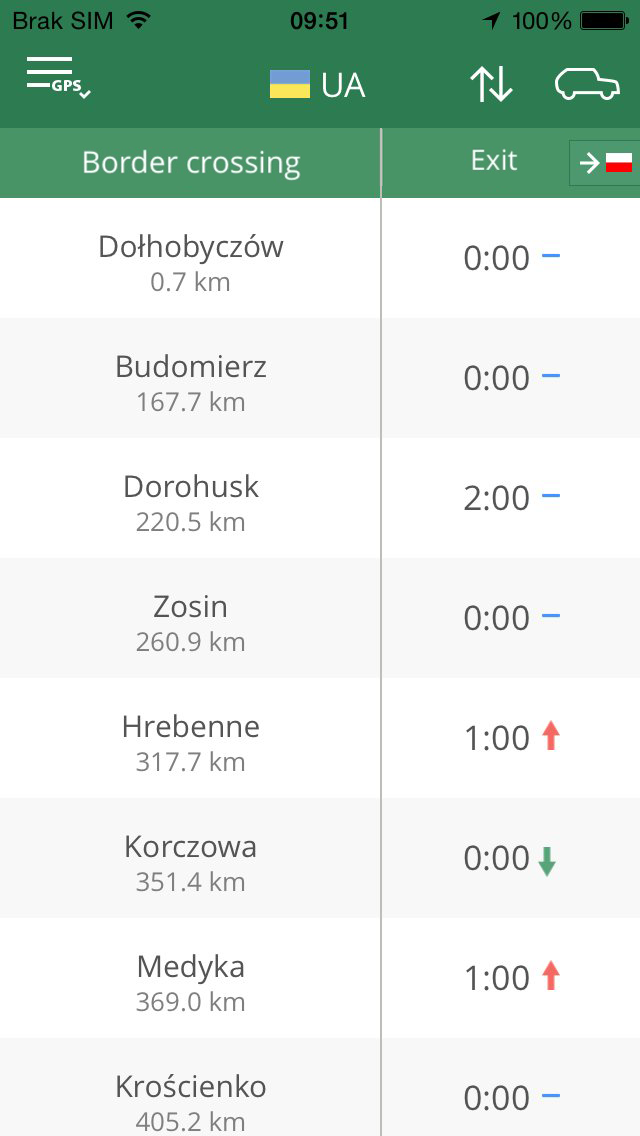
Photo 1. The screen displays waiting time on selected border crossing.
After completing preliminary configuration a screen presenting full information on waiting time on border crossings on given part of the border (with previously selected country) is displayed – with possibility of shifting from one part of the border to another and changing type of vehicle and direction (photo 1).
Waiting time is downloaded from the website www.granica.gov.pl. Up arrow means ascending trend for a given waiting time, what means that waiting time was shorter on the last update. Alternatively, down arrow means descending trend. Black mark indicates that waiting time has not changed.
After selecting border crossing the User is interested in, detailed data is displayed:
- current distance from the crossing,
- a map with visualization of the road to and with the marked crossing,
- waiting time to enter the crossing,
- number of the open lanes,
- camera image,
- messages referring to the selected border crossing.
Detailed view also enables adding selected crossing to Favorites (icon  ) ), thus enabling you to subsequently add Widget/Live Tile on Android, presenting basic data for the selected crossing. Favorite crossings are also available from the level of additional options of the app – after clicking on icon
  .
.
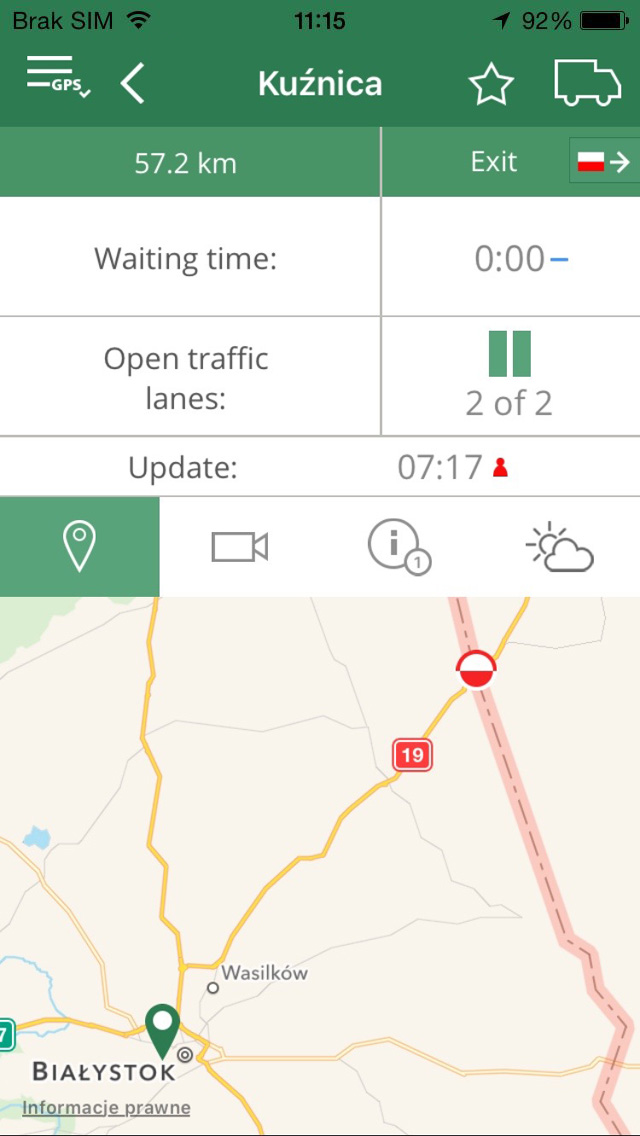
Photo 2. The screen displays detailed preview of data on selected border crossing.
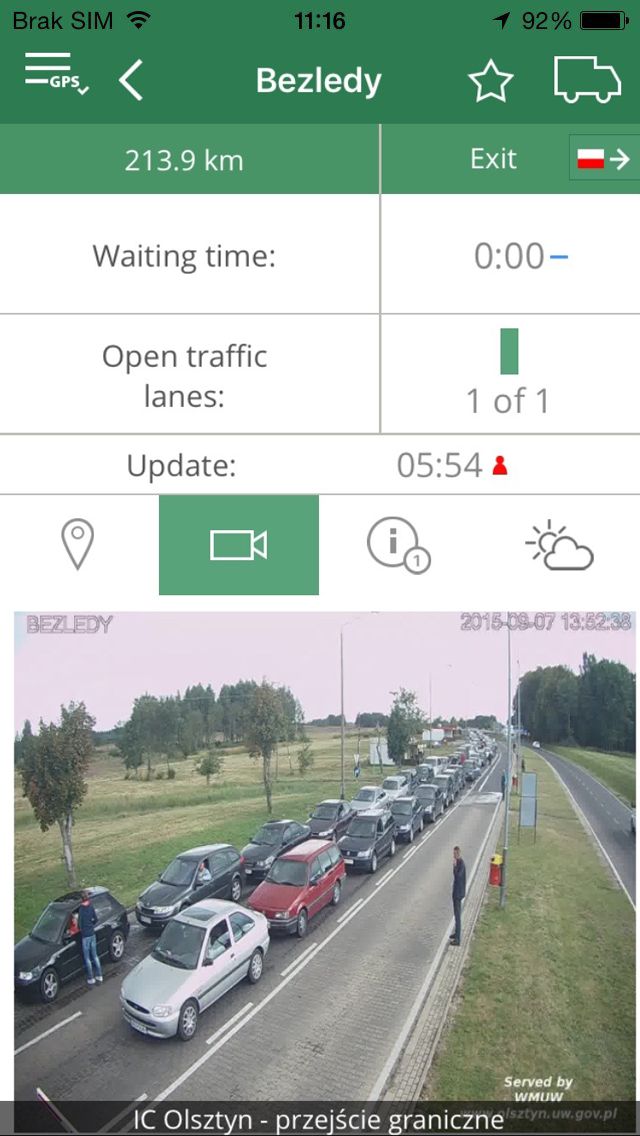
Photo 3. The screen displays camera view at the border crossing.
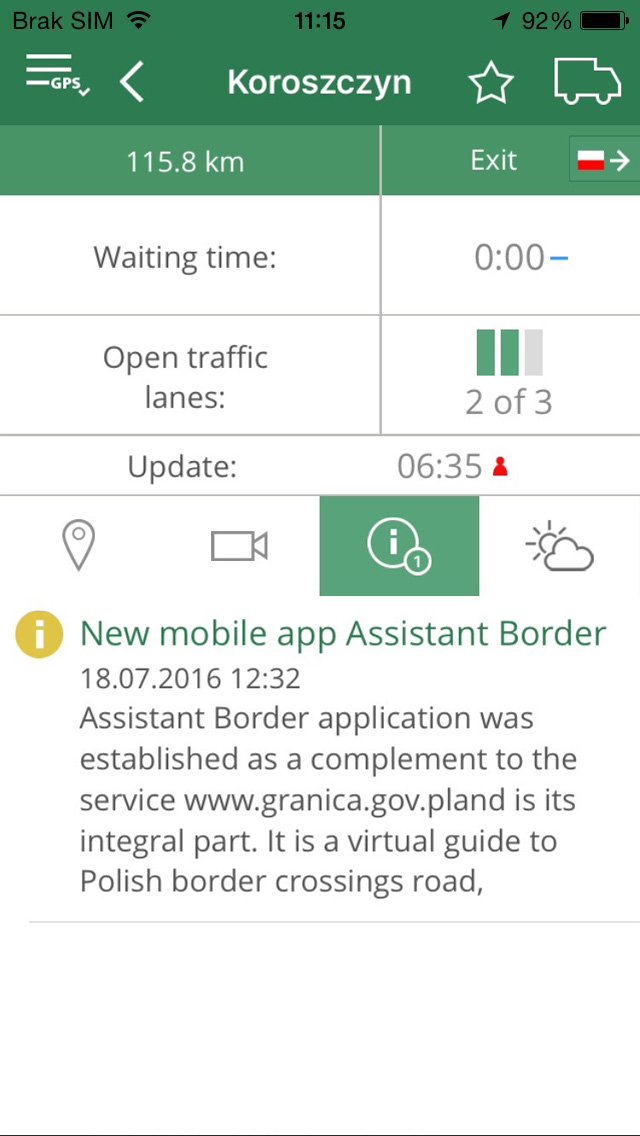
Photo 4. The screen displays messages on selected border crossing.
When the app on the mobile device is running, when approaching the border crossing the User is informed about approaching the crossing by sending message from the application. The app itself checks movement direction (exit/enter) and adapts data to the current location of the user. The user can switch the app to another movement direction at any moment.
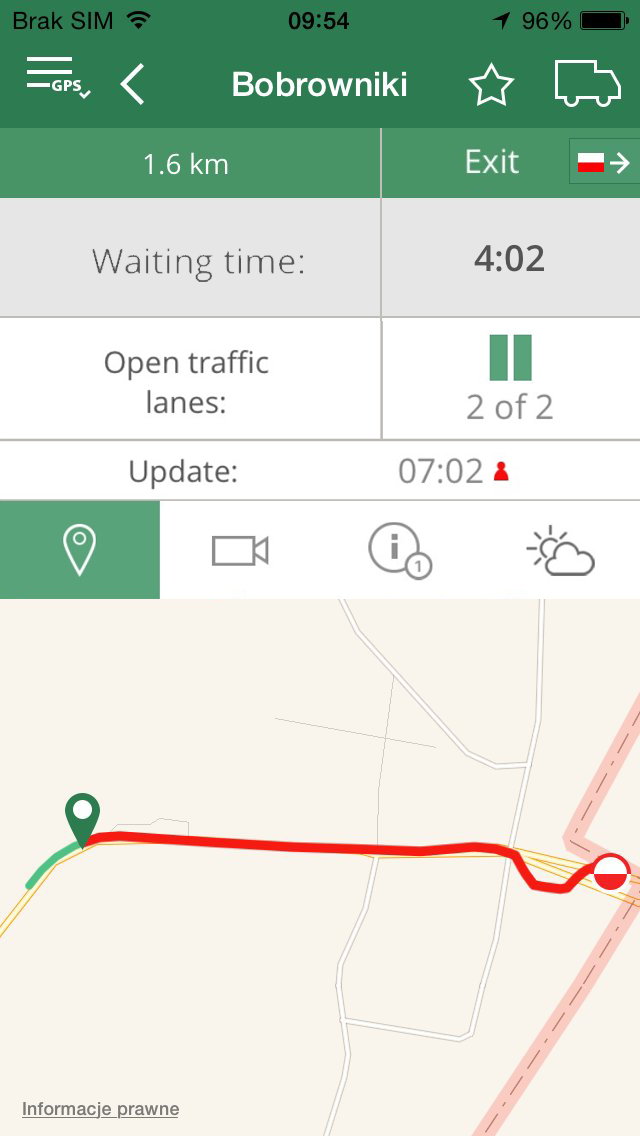
Photo 5. A screen with visualisation of the map after joining the queue.
After the app user stops at the end of the queue before border crossing, „Waiting Time” presented in detailed data is replaced with waiting time individually calculated for each vehicle (information „Waiting Time” is replaced with information „Time left”). Visualization of map is changed as well – distance travelled by vehicle until it stopped before the crossing is marked green – remaining distance – marked red. (photo 5).
Waiting time is calculated for type of vehicle previously selected in settings. If the user changes type of traffic in the crossing details, an app will be still calculating time for a type of vehicle previously selected in settings.
Next to „Update hour” data quality is presented. Data quality depends on number of apps ran by the users waiting for crossing the border by selected border crossing. Number of bots means accordingly: 1 red bot – poor data quality, 2 yellow bots – average data quality, 3 green bots – good data quality. The larger number of users, the more precise is the calculated time and this will make frequency of update of waiting time at site www.granica.gov.pl is increased.
4. Additional options of app Granica
Press menu icon to move to additional options of the app.
After icon „Forecast” has been chosen – it is possible to display forecasted waiting time at selected border crossing for the next week. Information is calculated on a base of archive data for the given border crossing and in given time.
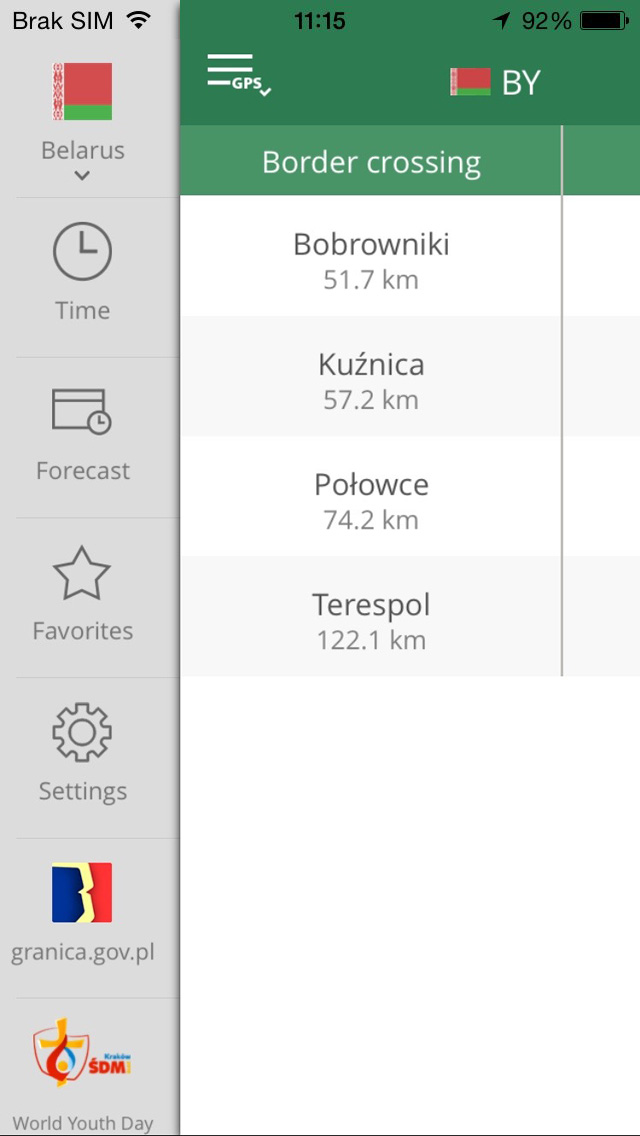
Photo 6. A screen with expanded options off app menu.
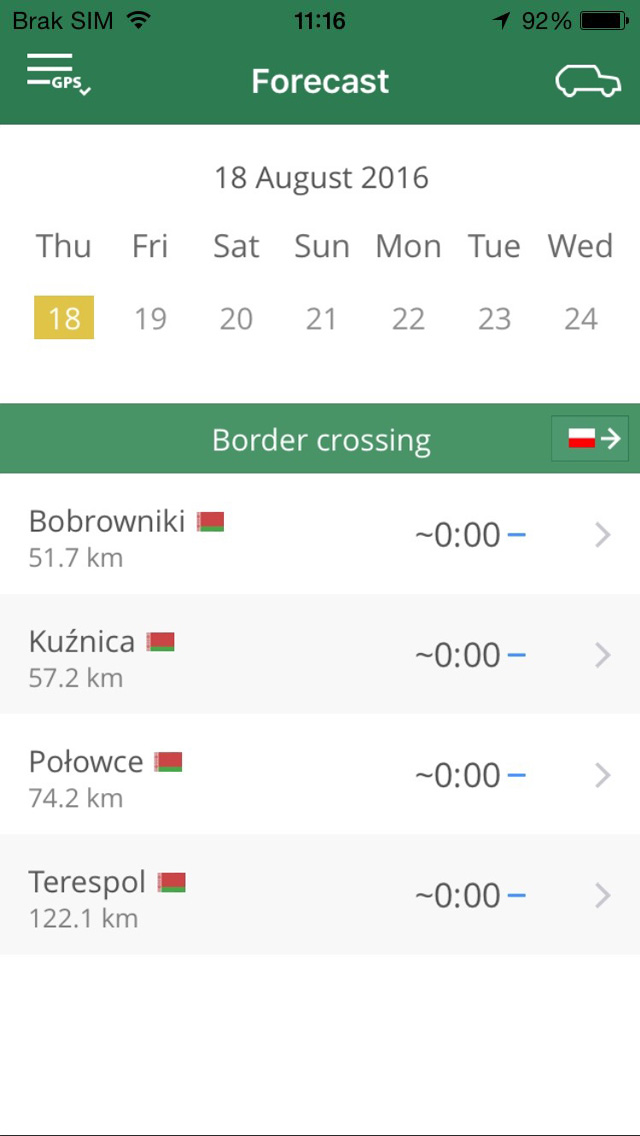
Photo 7. A screen with forecasted waiting time.
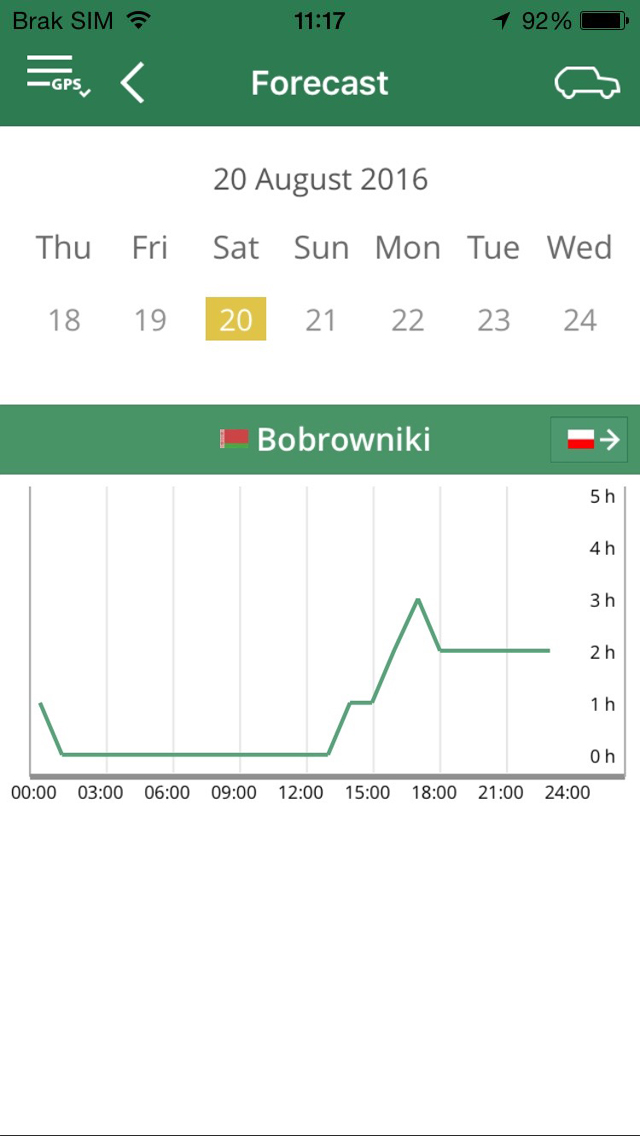
Photo 8. A screen with forecasted wating time put in diagram.
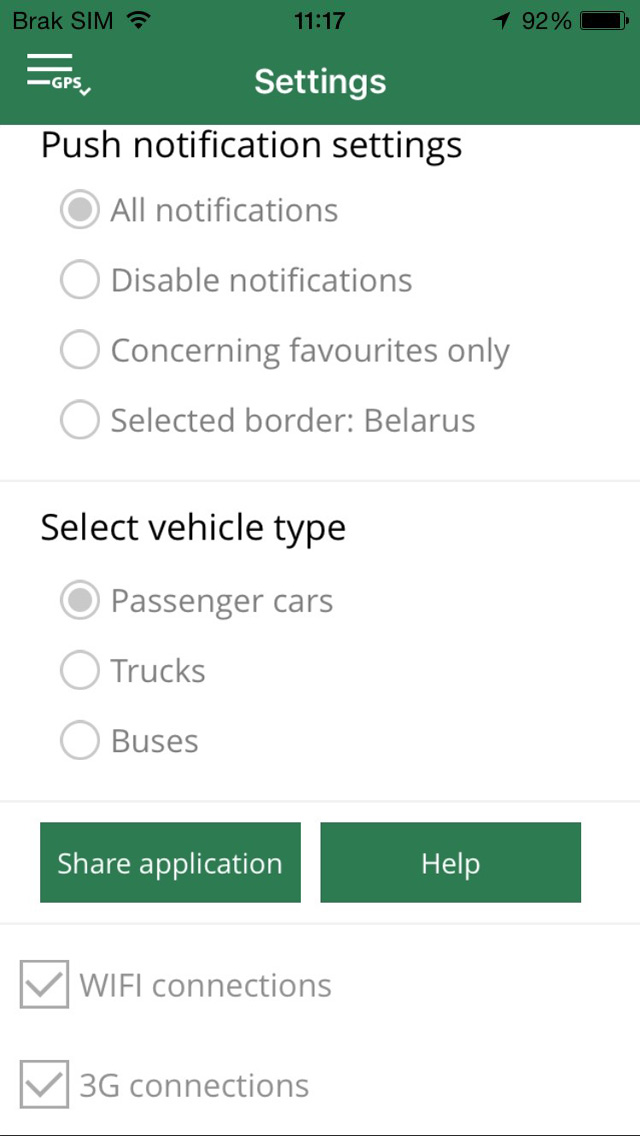
Photo 9. A screen with excerpt from app settings.
After selecting „Settings” it is possibile to configure the following app options:
- Select language – default language of app.
- Push notification settings – notification on possible impediments at crossings.
- Select type of vehicle – selection of type of vehicle, relevant data is displayed for.
- Share app – possibility to provide information on the app e.g. for friends.
- Help – displays basic tutorial with basic description of operation and description of main buttons.
- Use geolocation data/Go to GPS settings – no consent for using geolocation data will result in limited access to various features of the app.
5. Widget and Live Tiles for Android
For faster access to basic data of given border crossing app Granica enables you to insert a widget into Android.
Data displayed in Widget/Live Tile refers to border crossings added earlier to Favorites.
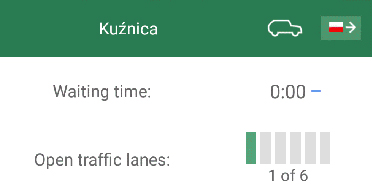
Photo 10. Android Widget.
Thanks to the use of the mobile app every user will have it calculated his individual waiting time for crossing border and these calculations will help to better waiting time forecast.
6. Download mobile app Granica
Mobile app Granica is available free of charge at App Store, Google Play.

Assistant Border application
1. Description of the application
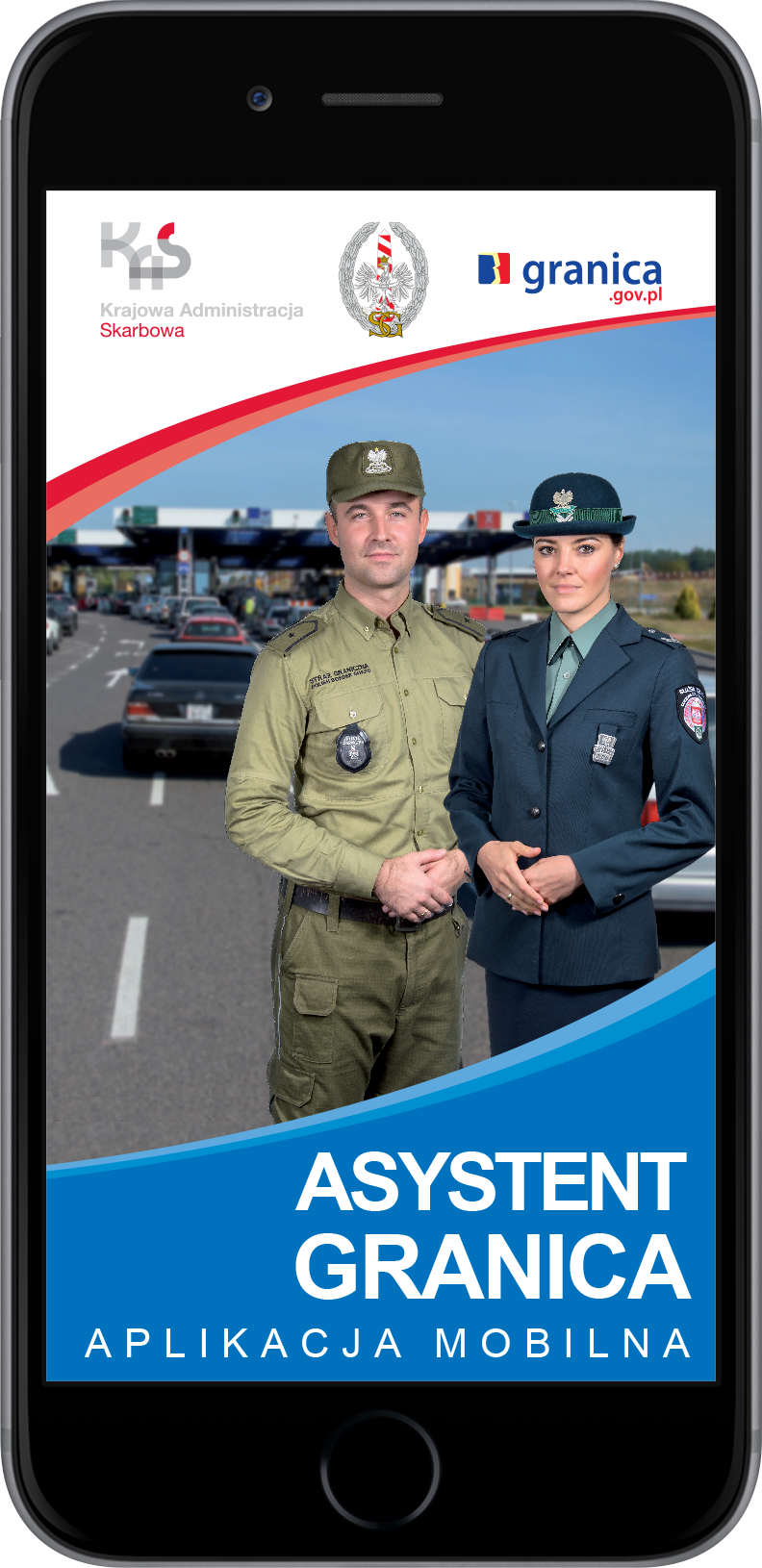
The leaflet promoting Assistant Border application.
Assistant Border application was established as a complement to the service www.granica.gov.pl and is its integral part. It is a virtual guide to Polish border crossings:
- road,
- pedestrians,
- rail,
- sea ports,
- airports.
The application is available on the following mobile phone operating systems:
- iOS,
- Android.
The mobile application is available in the following languages:
- Polish,
- English,
- German,
- Russian,
- French,
- Italian,
- Spanish.
2. Initial configuration
Application installed on the mobile device should be pre-configured - selecting on the following screens: the default language, the default citizenship, method of connecting to the Internet and to complete - a mini tutorial presenting the most important buttons in the application menu.
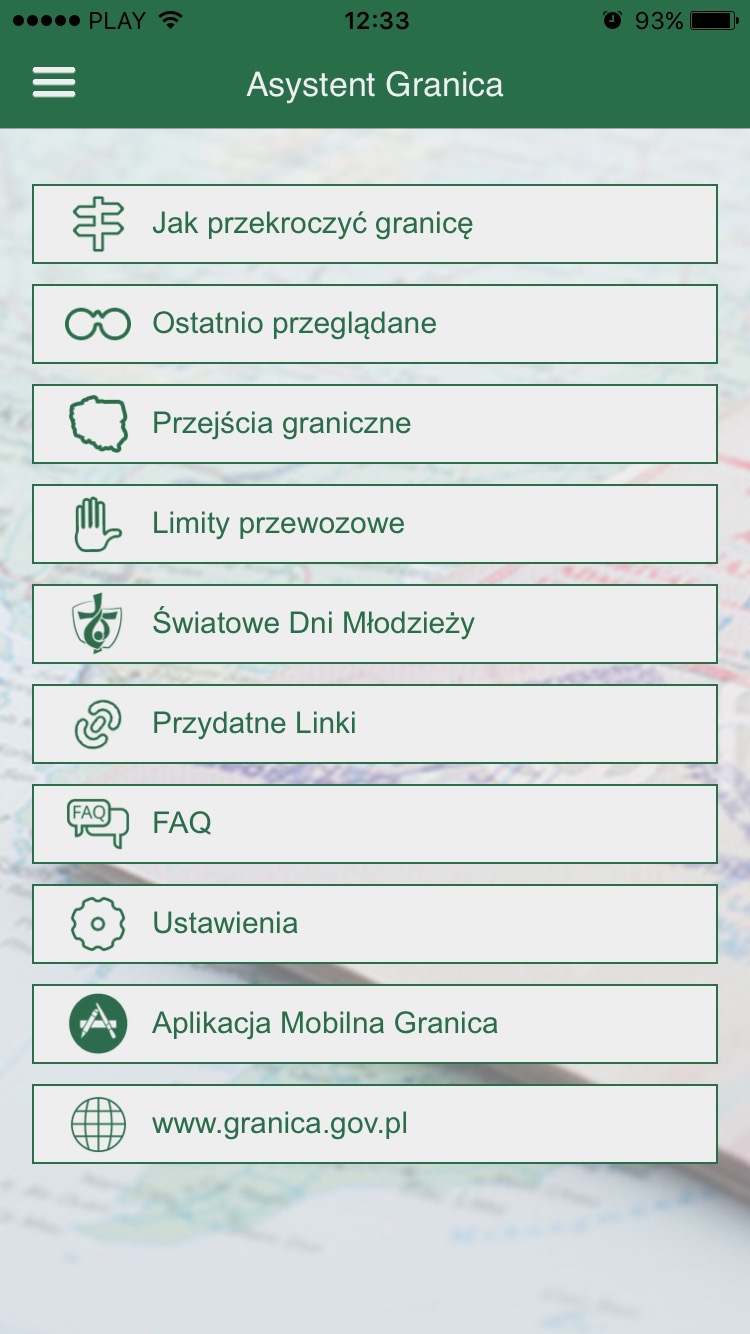
Fot. 1. Displays the application menu.
After the initial configuration the presentation of the full application functionality is displayed (photo 1).
3. How to cross the border
This is an installer that based on the user response to various questions provides a virtual tour of the selected border crossing:
- how to move across the border,
- the direction of movement,
- choice of the border crossing,
- citizenship,
- transported goods.
You will learn:
- what documents are necessary to cross the border,
- what are the different steps of crossing the border,
- what requirements should be met in order to transport certain goods across the border,
- what are the rights and obligations of the passenger.
The user can send to the mailbox information obtained on the basis of received answers to the questions.
The application includes demonstrative photos of particular border crossings.
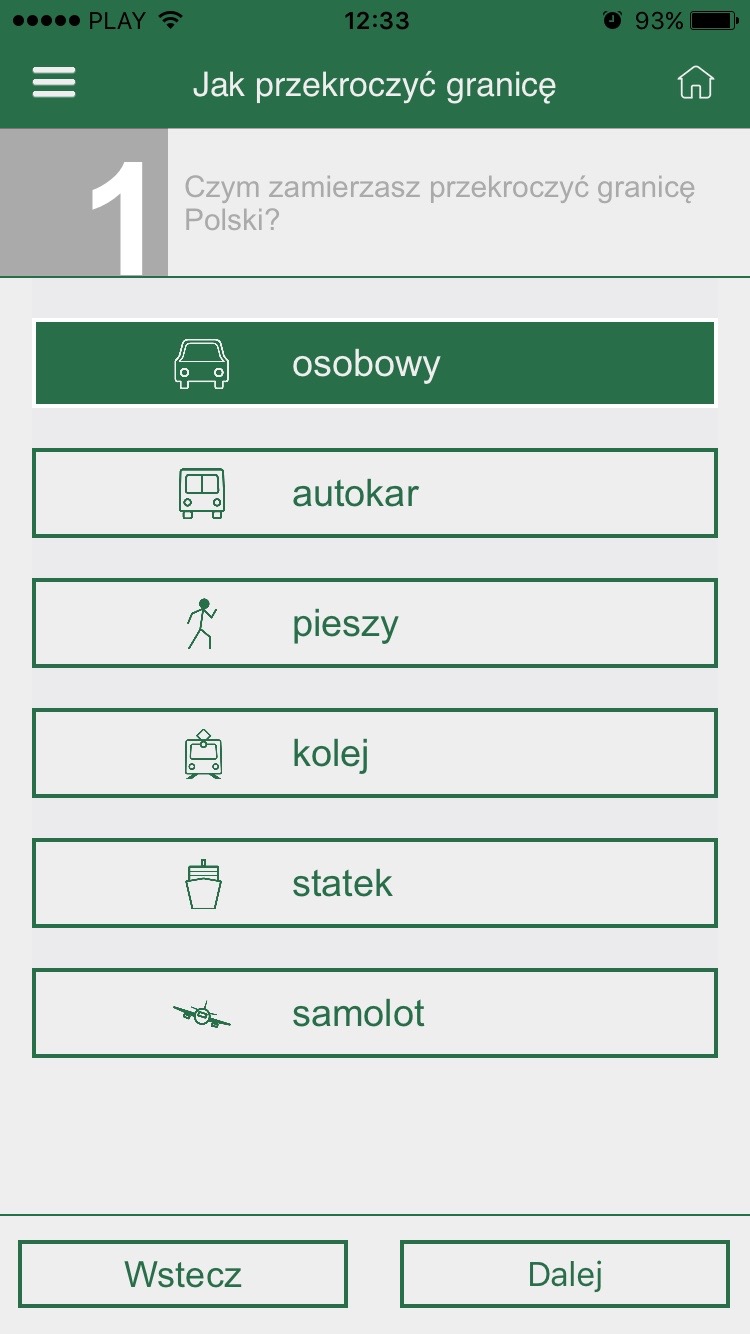
Fot. 2. Screen how to move across the border.
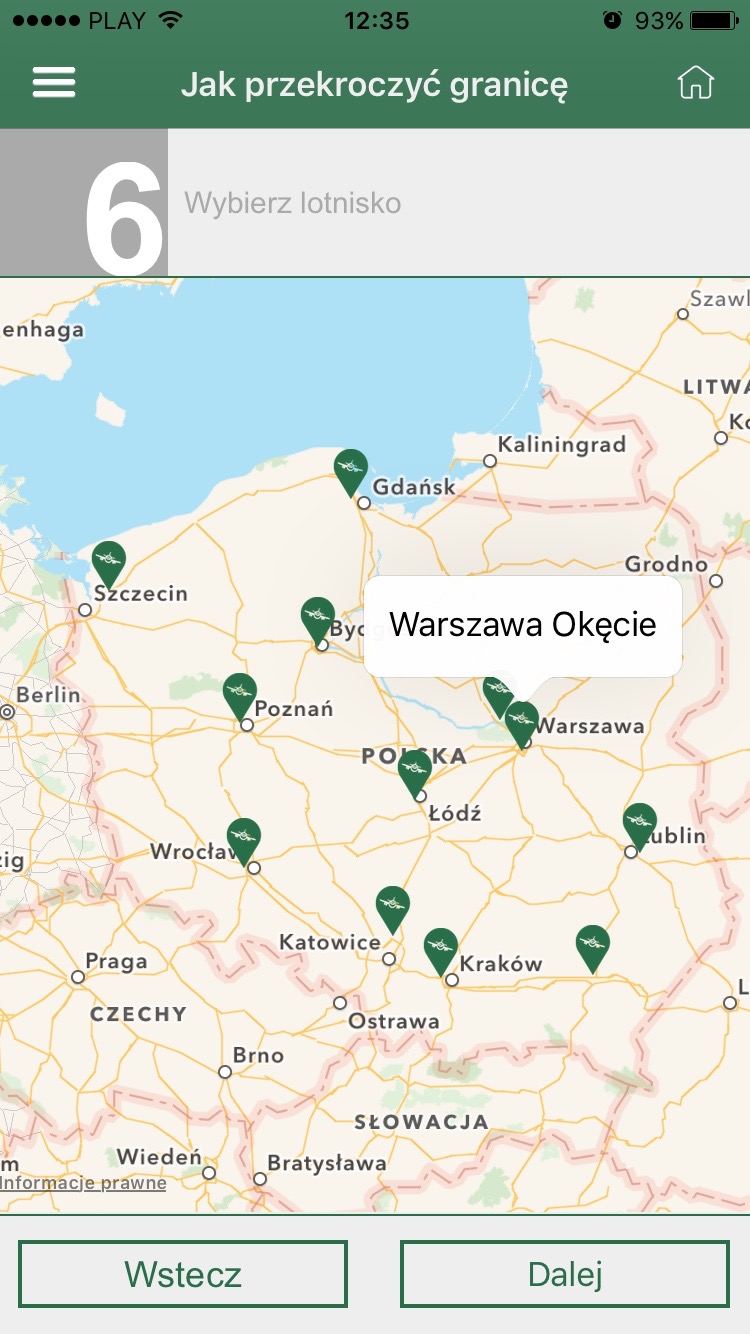
Fot. 3. Screen displays map of airports.
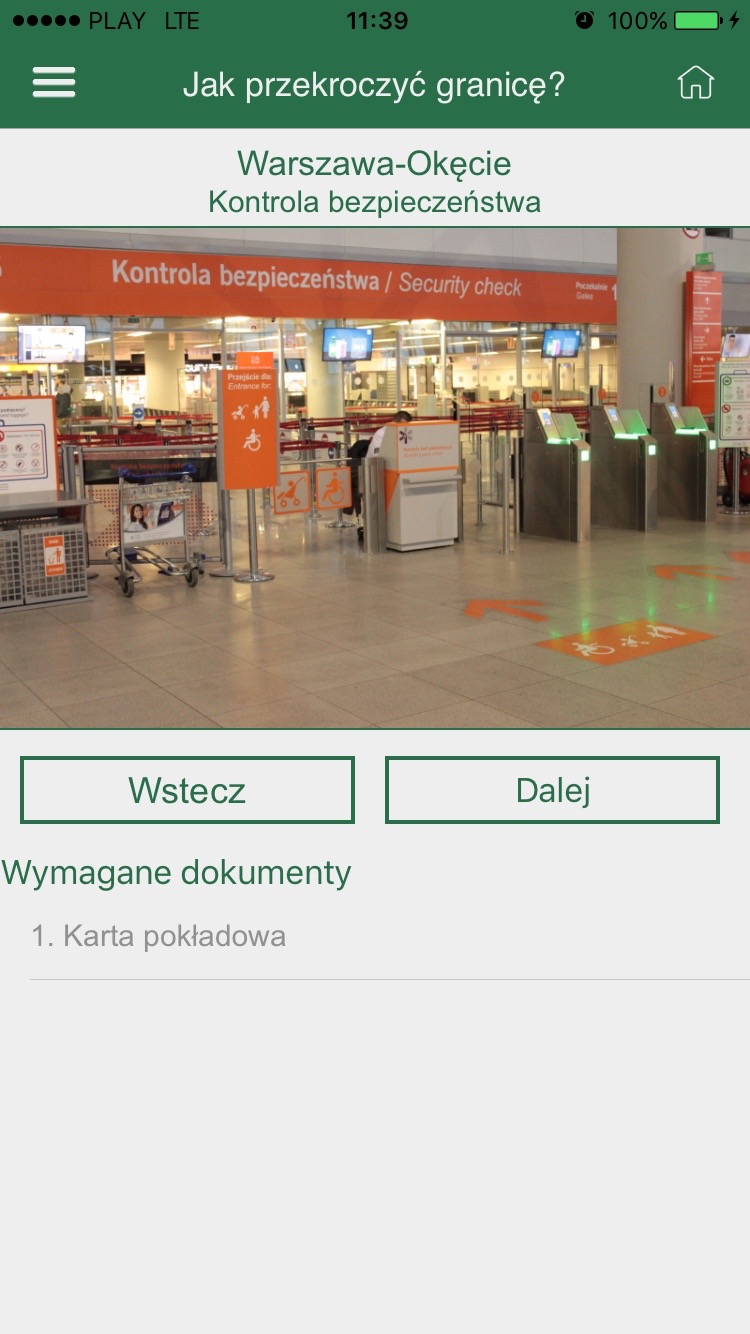
Fot. 4. Screen shows one of the steps of crossing the border.
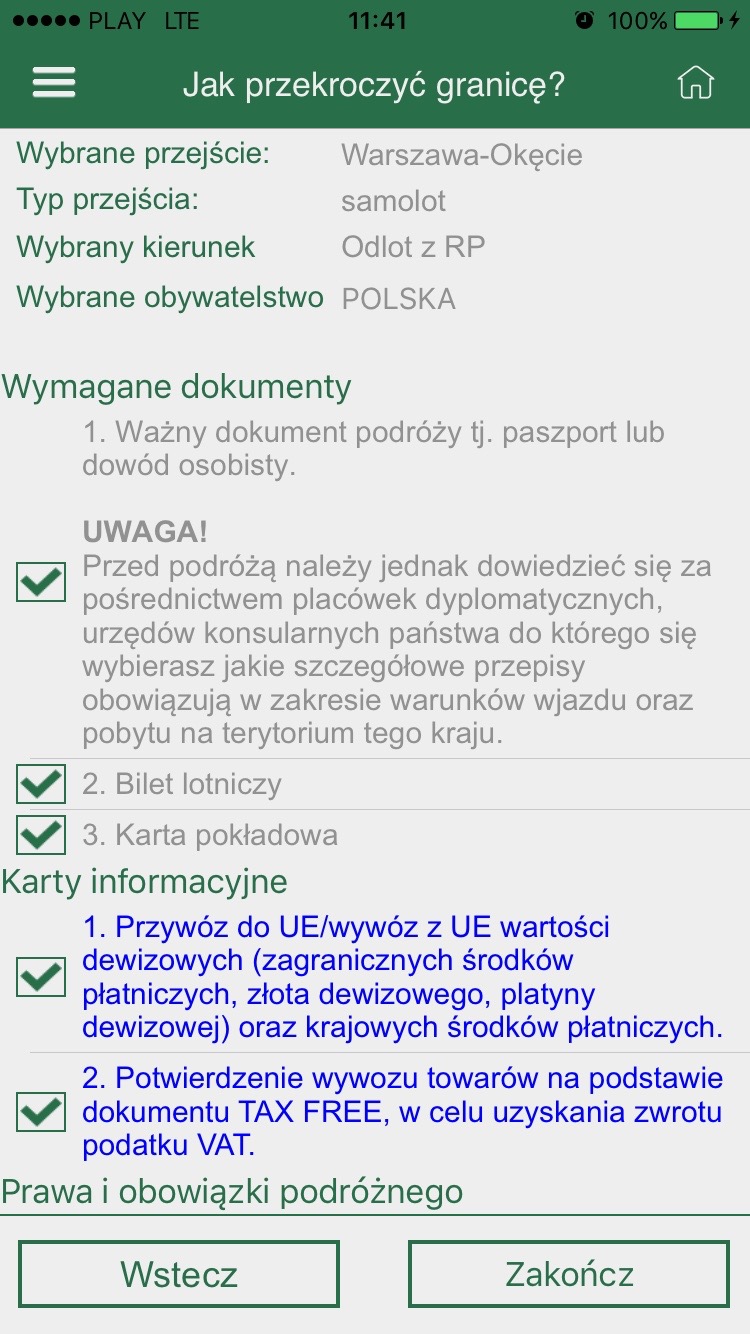
Fot. 5. Screen displays summary.
4. Border crossings
When you select "Border crossings" tab - it is possible to display data about the selected border crossing. The tab contains the photo of the border crossing, information about opening hours, geo-points at the border crossing and messages concerning particular border crossing.
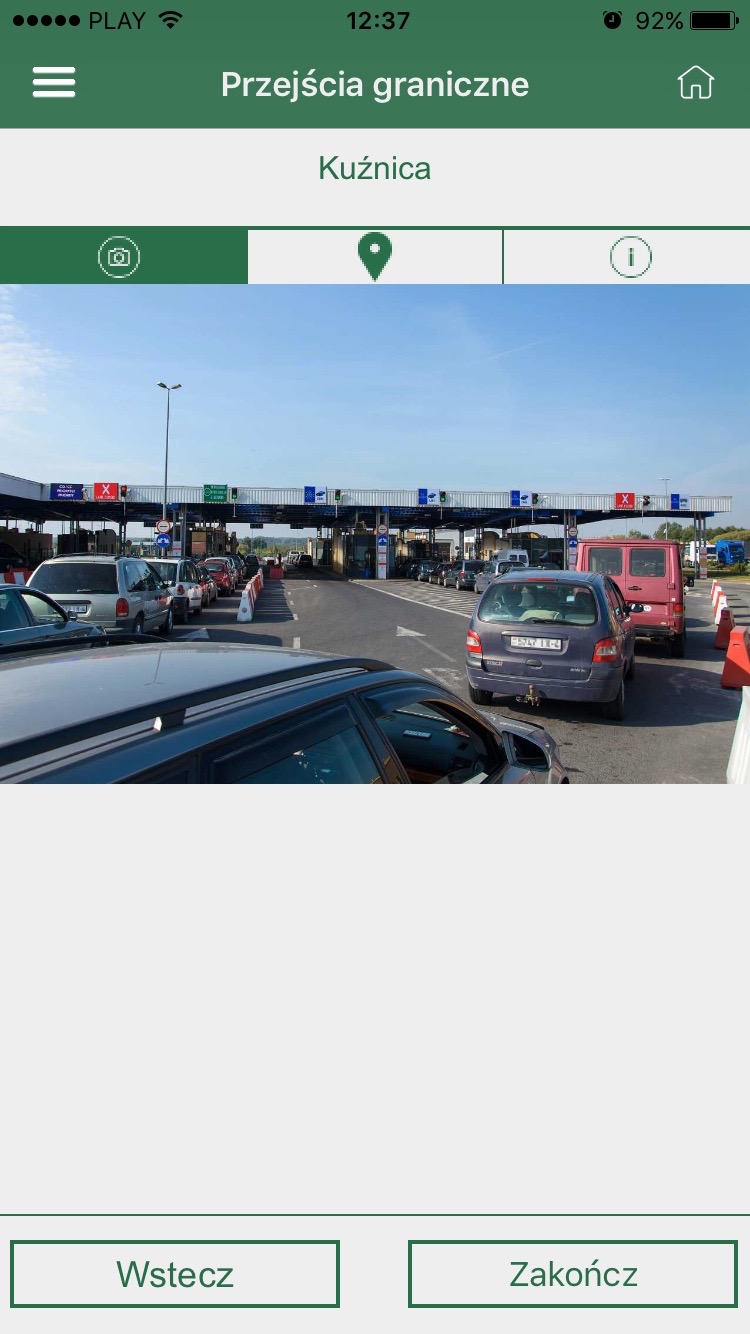
Fot. 7. Screen with a photo of border crossing.
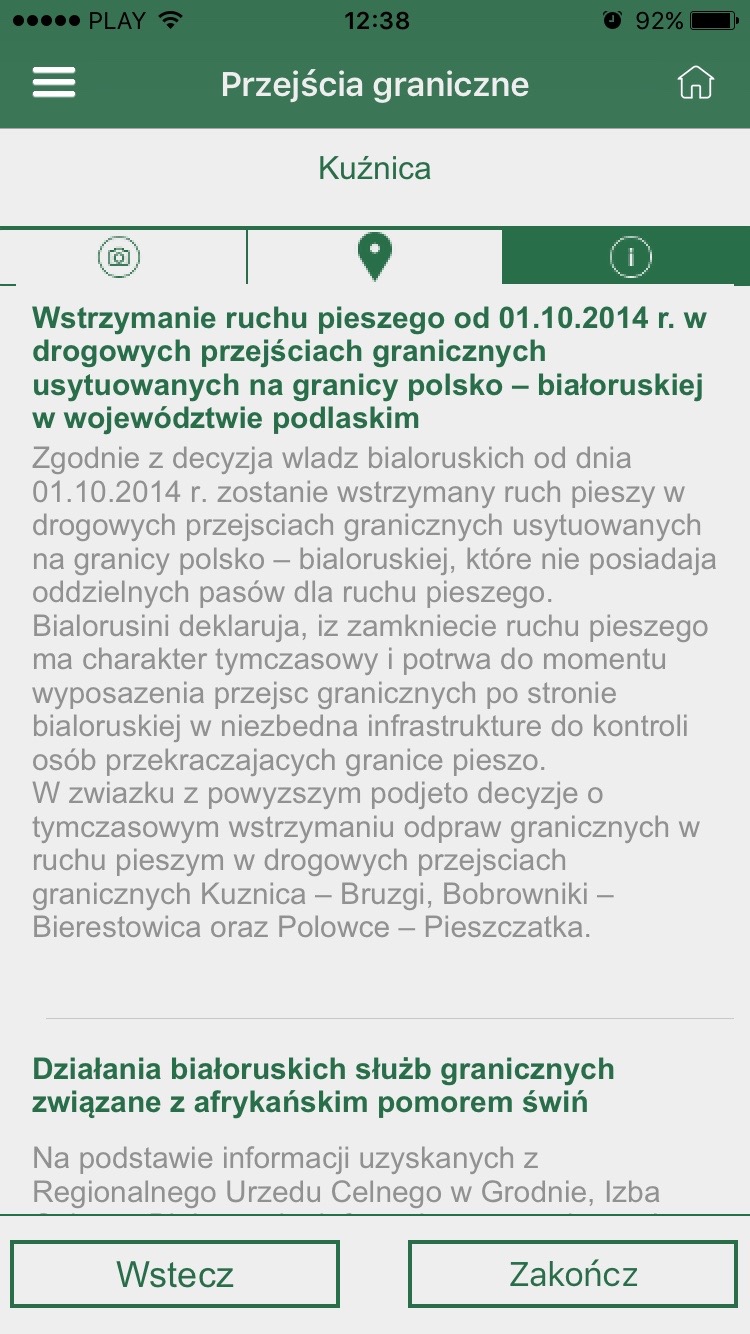
Fot. 8. Screen displays messages.
5. Allowances
The user can also find out about allowances in Poland. Limits were specified for alcohol, tobacco products and cash.
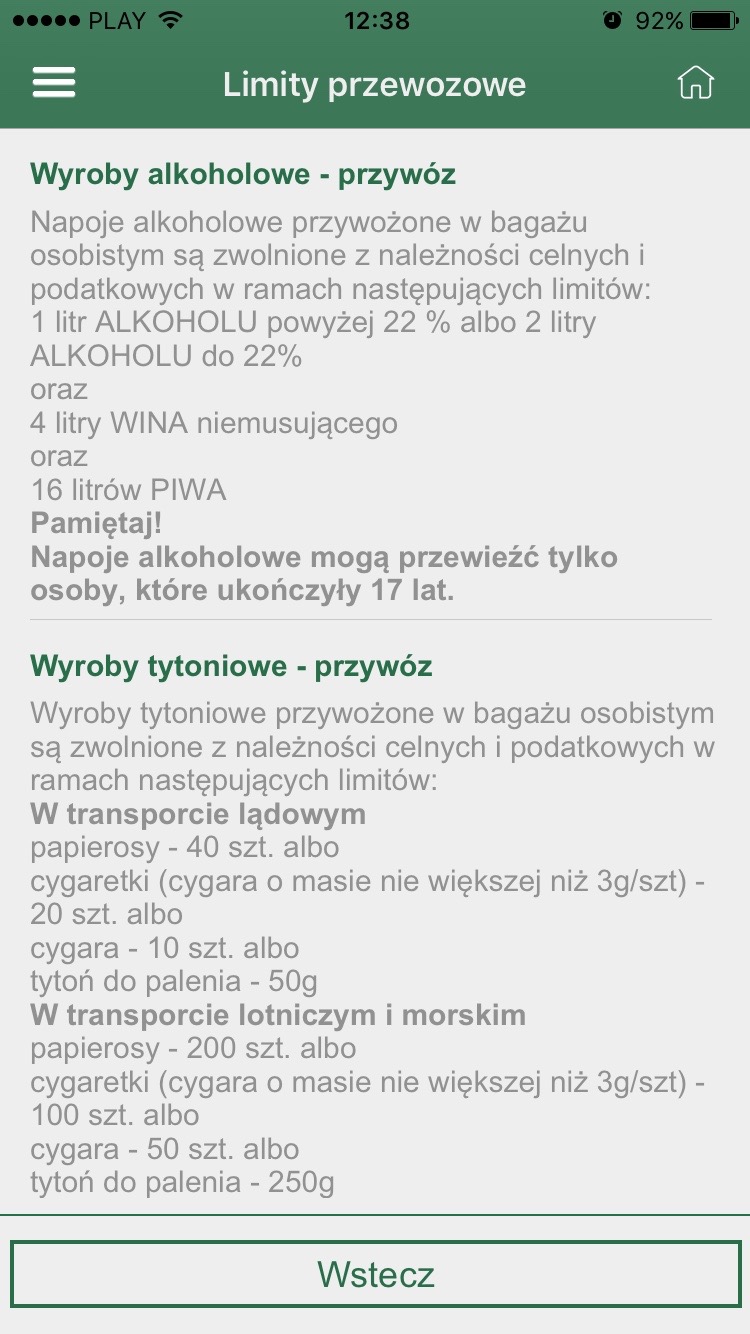
Fot. 8. Allowances.
6. FAQ
The application also includes answers to frequently asked questions.
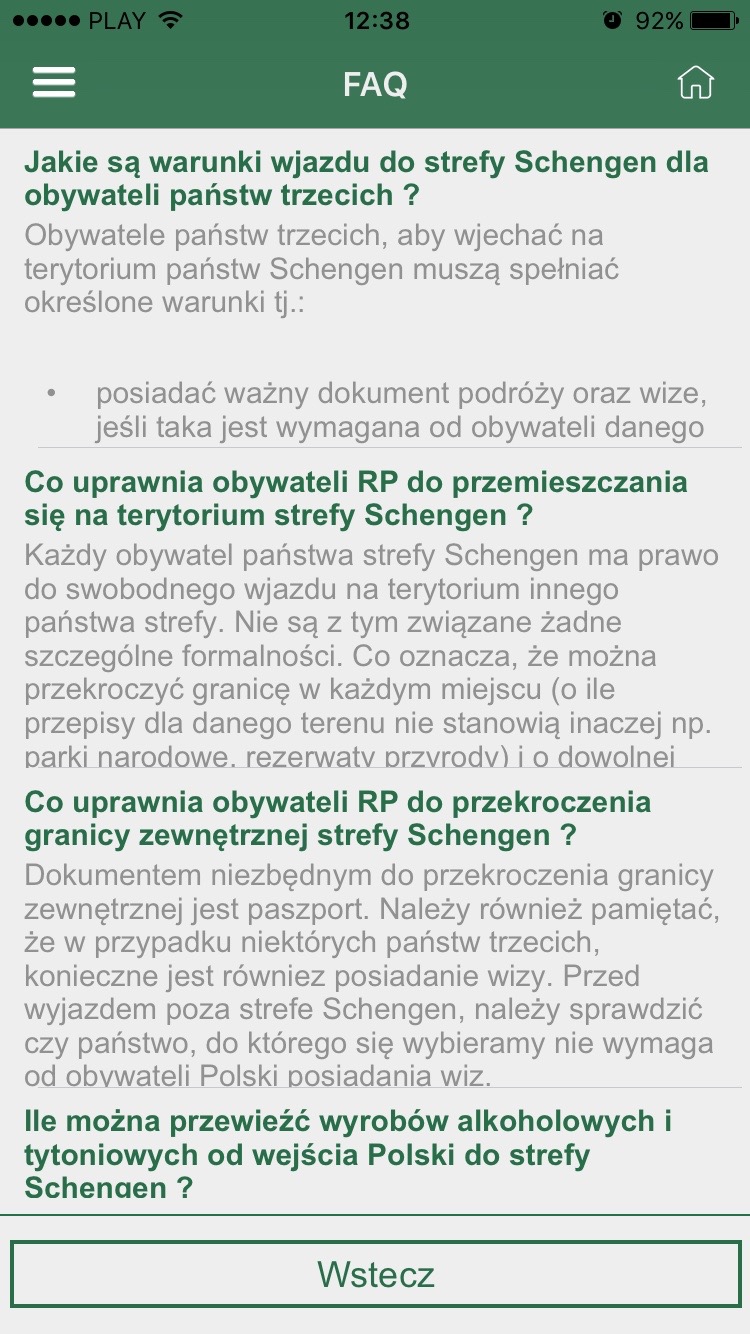
Fot. 9. Frequently Asked Questions.
7. Download Assistant Border application
Mobile Assistant Border application is available free of charge at App Store, Google Play.